
PickupGamer

Made for game time

KNOW THE SCORE.
KEEP PLAYING.

Your phone is the scoreboard.
Your wrist runs the game.

“Wait, what’s the score?” Keep it in sight for everyone, so the game keeps moving. For the court, the park, and wherever your crew plays next.

Join the free beta

Available now on TestFlight · iPhone + optional Apple Watch

IT’S GAME TIME.
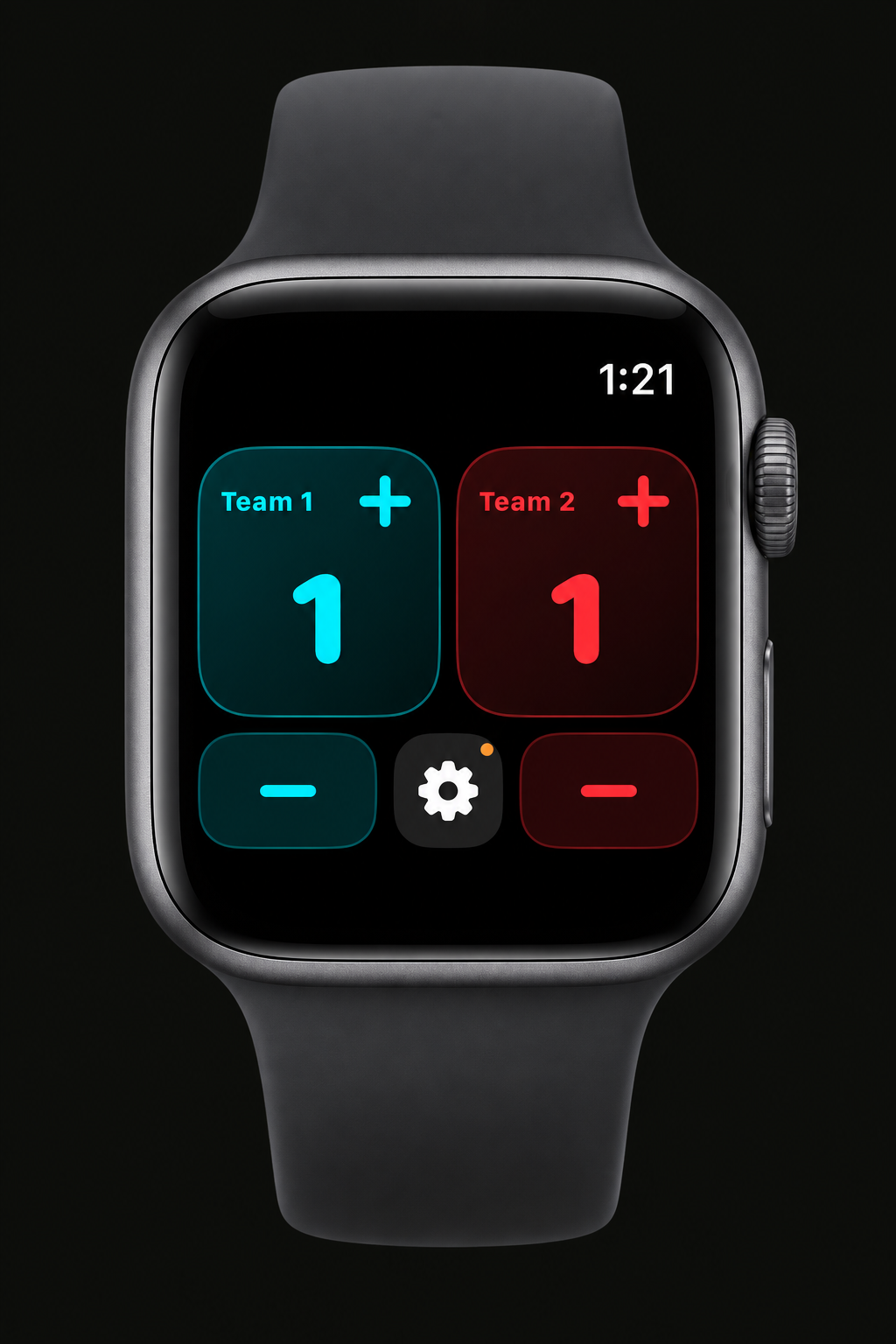
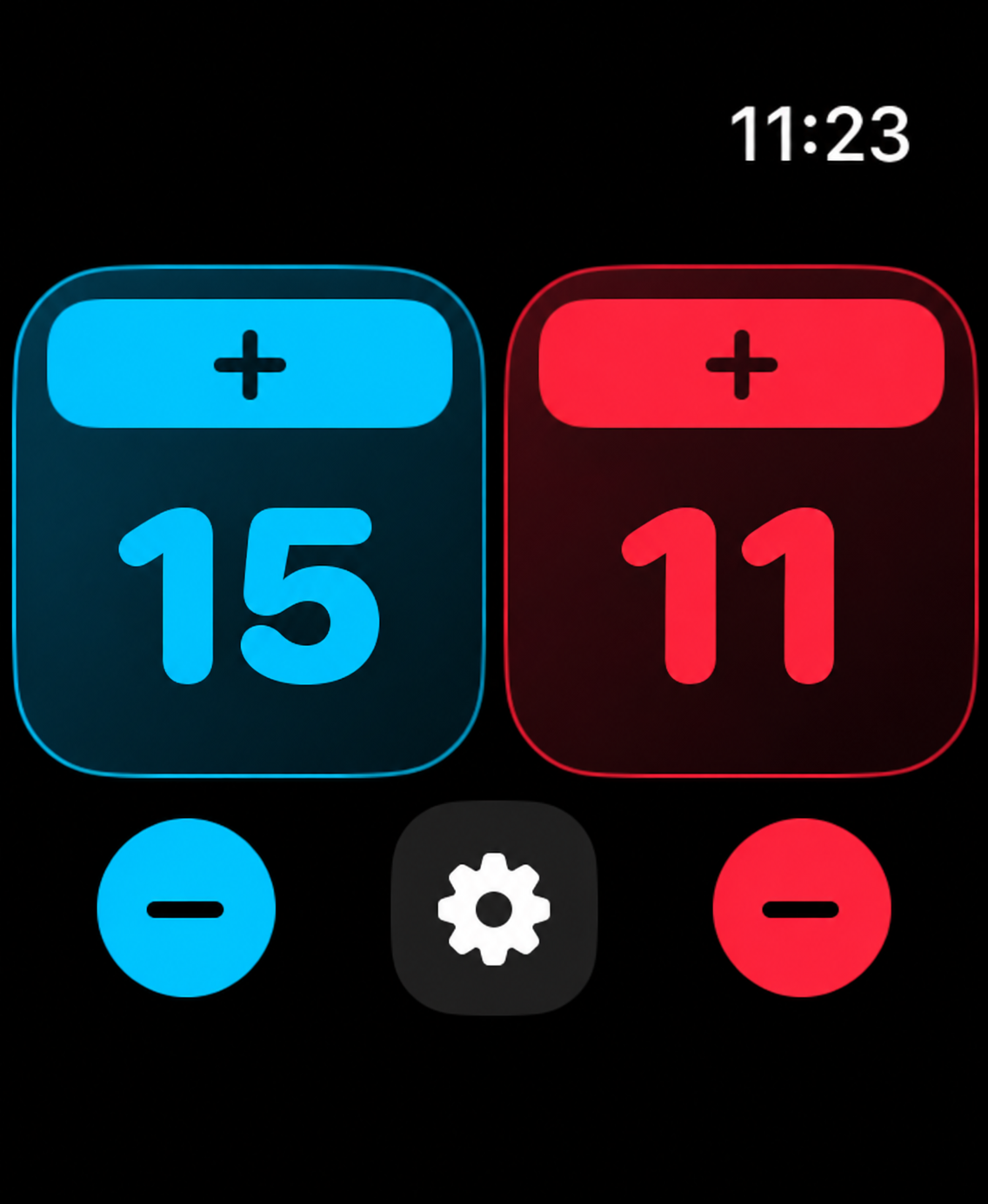
Current PickupGamer Watch app showing red and blue scores, large rectangular plus controls, circular minus controls, and a settings button
One tap on your wrist.
Everyone knows the score.
  • BASKETBALL
  • PICKLEBALL
  • SOCCER
  • VOLLEYBALL
  • TENNIS
  • BADMINTON
  • TABLE TENNIS
  • ULTIMATE
  • FLAG FOOTBALL
  • SOFTBALL

01 / Claim the sideline

Less “what’s the score?”
More playing.

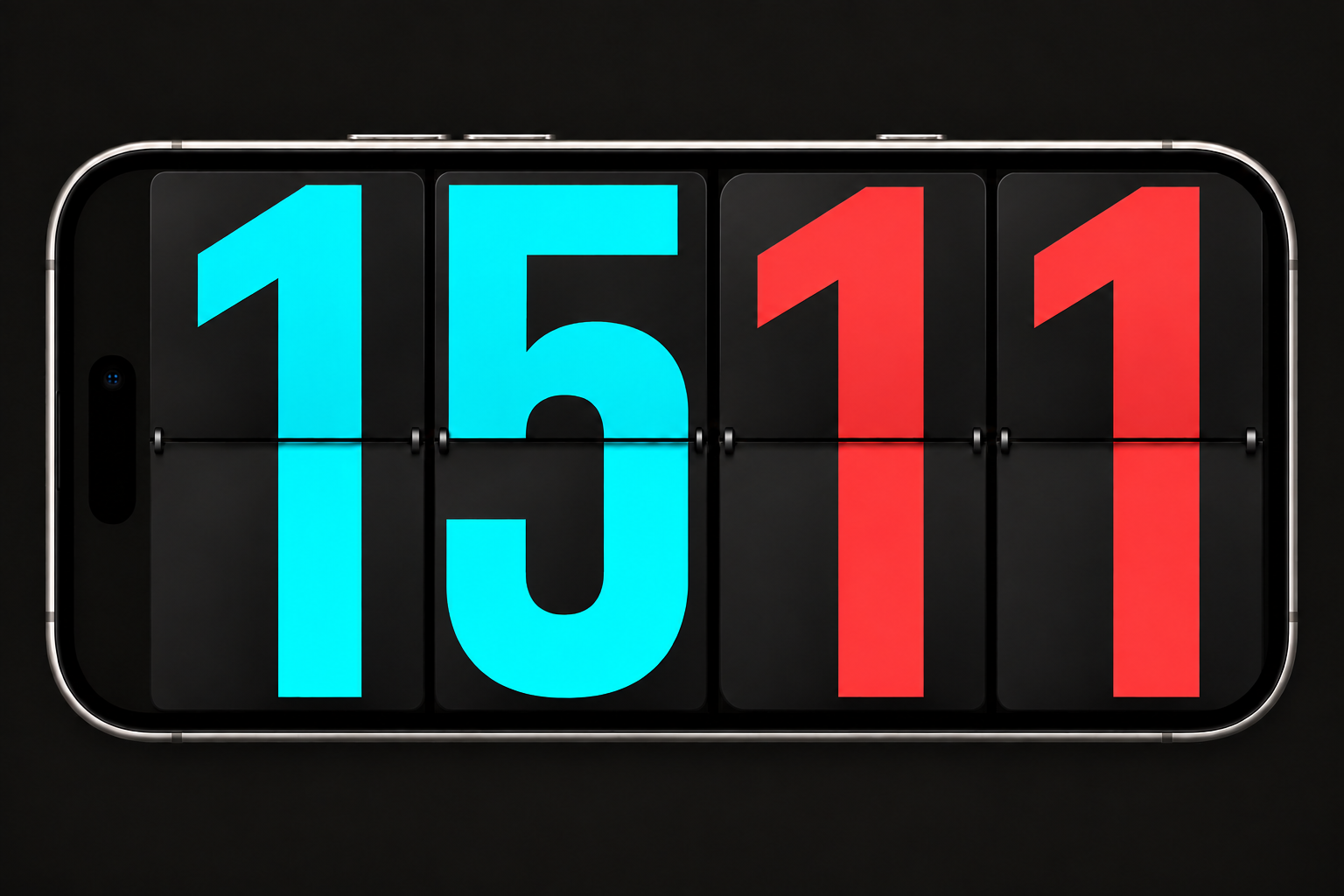
Set your iPhone on the sideline in landscape. A score everyone can check means fewer interruptions to settle it. Swipe to score, or tap your paired Apple Watch. One score or two, as big as the screen allows.

iPhone illustration in landscape showing PickupGamer’s cyan 12 and red 0 flip-board scores
Device illustration based on the app · Flipboard style, included free

02 / Make it yours

Your colors.
Your celebration.

Choose colors and scoring sounds for each team. Keep it quiet, or bring the air horn. Try every style in the beta, from LCD and Varsity to Flip Board and Neon. All beta features start unlocked.

03 / Find your people

Same crew.
Next game.

Create a private circle and let friends know when you're heading over. Optional venue check-ins show how many app users have checked in recently.

Coming in the next beta: searchable friends, shared groups and scheduled games. Existing circles use iCloud. Counts reflect voluntary check-ins, not everyone at a venue.

First games. First feedback.

HELP SHAPE
THE NEXT PLAY.

Take PickupGamer to a real game.
Tell us what works. Tell us what doesn't.

Public beta is open

Your next game starts here.

Try PickupGamer free, with every feature unlocked during the beta. No purchase needed.

Get PickupGamer on TestFlight
  1. Install Apple's TestFlight app on your iPhone if you don't have it yet.
  2. Open the PickupGamer invitation, then tap Accept and Install in TestFlight.
  3. Play a game. Share the app with your crew, and send us feedback through TestFlight.

iOS 16.2 or later. Optional paired Apple Watch requires watchOS 9.1 or later. Keep points manually for your game. Optional Watch controls include basketball +2/+3 and pickleball score calls. Automatic tennis scoring is not included.

Keep the game moving.

Every feature is unlocked during the beta. In the future App Store version, core scoring will be free and Premium is a planned $3.99 one-time unlock for extra fonts and sounds, winning-score rules, Watch sport controls, custom colors, and city themes. Team names, teams, rosters, basic history, friends and sharing stay free. Local prices may vary.

Already testing?

Open PickupGamer in TestFlight and tap Send Beta Feedback. Include what happened, what you expected, and your phone/watch models. In the app, Game setup → Bug report or feature request lets you export a report.